




A website feedback tool lets clients and teammates click anywhere on a live website and leave a comment right on the spot. Nobody has to send emails full of screenshots or try to describe “the button near the top, on the left.”
The right tool depends on who’s giving the feedback and what happens after. A freelancer who wants a quick free review needs something different from an agency looking after dozens of client sites. Here’s the short version of which website feedback tool fits each job:
- Agencies running many client sites: Atarim, where built-in AI experts review pages and do the work, not just collect comments
- Developer bug reports: Marker.io or BugHerd
- Simple client reviews on a budget: Pastel or Userback, which both have free plans
- A one-off review with no signup: SimpleCommenter’s free tool
- An AI second opinion on a page: BugSmash’s AI Reviews, which leave comments but don’t make changes
Website feedback tools compared at a glance
| Tool | Best for | AI reviews the page | AI does the work | Free way to try it |
|---|---|---|---|---|
| Atarim | Agencies managing many client sites | Yes, six AI experts | Yes, built in, with your approval | Start free, no card needed |
| BugHerd | Visual bug tracking for client projects | No | Only through your own AI coding tool | Free trial |
| Marker.io | Sending bug reports into developer tools | No | Only through your own AI coding tool | Free trial |
| BugSmash | Reviewing websites and other files, with AI comments | Yes (beta) | Only through your own AI coding tool | Free plan |
| Userback | Feedback from users of web apps | No (AI sorts feedback) | Only through your own AI coding tool | Free plan |
| Pastel | Simple, fast client feedback | No | No | Free plan |
| Markup.io | Reviewing websites and other files in one place | No | No | Free trial |
| Feedbucket | Agency client feedback with video | No | No | Free trial |
| Huddlekit | Design and QA reviews across screen sizes | No | Only through your own AI coding tool | Free plan |
| SimpleCommenter | One-off reviews with no signup | No | Only through your own AI coding tool | Free tool |
Based on each tool’s published features and plans as of October 2026. “Your own AI coding tool” means connecting a separate AI agent, like Claude Code or Cursor, through the tool’s MCP connection. Plans change often, so check each tool’s pricing page before you decide.
How AI is changing website feedback tools
For years, a website feedback tool did one job: let people leave comments. In 2026, most of these tools have added some AI, but “AI-powered” can mean very different things. It helps to sort them into three levels:
- AI that tidies feedback: it writes task titles, adds tags, spots duplicates or translates comments. BugHerd, Marker.io and Userback all do some of this. It saves admin time, but a person still has to review the site and make every fix.
- AI that reviews the page: instead of waiting for people to leave comments, the AI looks at the page itself and points out design, copy, UX or accessibility issues. BugSmash’s AI Reviews (in beta) do this and leave suggestions as comments. Someone on your team still has to make the changes.
- AI that does the work: the AI reviews the page and then makes the change too. Atarim is built this way: its AI experts review live pages, make the fix, and show you a live preview to approve before anything ships.
Many tools on this list, including BugHerd, Marker.io, BugSmash, Userback, Huddlekit and SimpleCommenter, have also opened up to AI coding agents through MCP (Model Context Protocol) connections. If your team already runs an agent like Claude Code or Cursor, it can read their feedback and attempt fixes, usually as code changes a developer reviews. That’s useful for development teams, but the AI is a separate tool you set up and run yourself. With Atarim, the AI team is part of the product.
What to look for in a website feedback tool
Most tools on this list let people click on a page and leave a comment. The differences show up in what happens after that click. Before you pick one, check for:
- Pinned comments on the live page: feedback should sit exactly where the problem is, so nobody has to guess.
- Automatic screenshots and details: the tool should capture what the reviewer saw, plus their browser and screen size.
- Easy guest access: clients shouldn’t need to create an account or install anything just to leave a note.
- Connections to your task tools: feedback should flow into wherever your team already works, such as Jira, Trello, Asana or Slack.
- What the AI actually does: collecting comments is the easy part. The real time drain is reviewing pages and making fixes, so check whether a tool’s AI only tidies feedback, reviews pages, or does the work too.
The best website feedback tools for agencies in 2026
1. Atarim: the AI web agency, plugged into yours

Atarim started life as a visual feedback tool, and clients and teammates can still pin comments right on a live page. What’s changed is what happens next. Atarim is now the AI web agency that plugs into yours, with a team of six AI experts that review the page, turn vague comments into clear tasks, and make the change themselves.
You stay in control the whole time. Every AI action lands as a task with a screenshot and an approval step, the AI shows a live preview before anything ships, and every change is logged and can be undone. Your clients only ever see your agency’s brand.

- Best for: agencies looking after many client sites who want feedback turned into finished work, not just a longer to-do list.
- Standout features: visual collaboration on live sites, six AI experts covering areas like design, copy, UX, SEO, accessibility and QA, white-label client views, and connections to Slack, Jira, Asana, ClickUp, Teamwork, Monday, Trello and Basecamp.
- AI: reviews pages on its own and from your team’s comments, then makes the change and shows a live preview for your approval. Every AI change is logged and can be undone.
- Works with: any website through a web snippet or Chrome extension, plus a native WordPress plugin.
- Pricing: start free, no card needed. See current plans.
- One downside: Atarim does a lot more than collect comments, so a solo freelancer who only needs a quick comment layer may not use most of it.
2. BugHerd
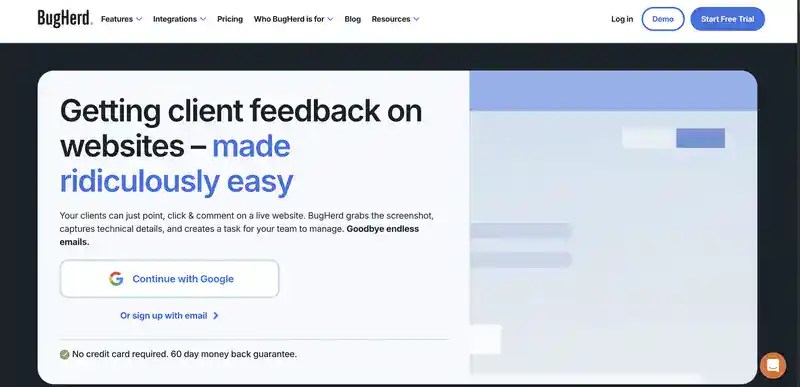
BugHerd is one of the best-known visual feedback tools. Clients point, click and comment on a live site, and each comment becomes a task on a board your team works through.
- Best for: teams that want straightforward visual bug tracking on client projects.
- Standout features: point-and-click comments, automatic screenshots and browser details, and a task board.
- AI: beta features suggest task titles, add tags and flag similar tasks. BugHerd MCP lets your own AI tool, like Claude or Cursor, read tasks and make fixes in your code or CMS.
- Pricing: paid plans with a free trial.
- One downside: there’s no free plan, and getting AI to fix anything means setting up and running your own AI coding tool. If you’re comparing options, see our list of BugHerd alternatives.
3. Marker.io
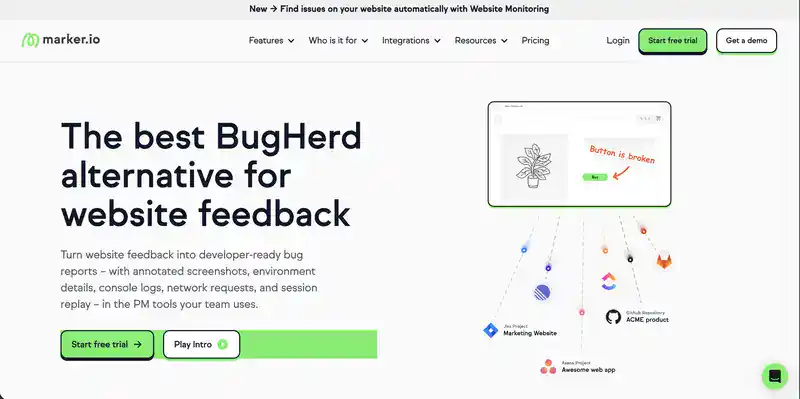
Marker.io is built for web teams that want feedback and bug reports to land straight in the tools developers already use.
- Best for: development teams and agencies with a strong QA process.
- Standout features: detailed bug reports sent into tools like Jira, Trello, Asana and GitHub, plus a new Website Monitoring feature that finds issues on your site automatically.
- AI: turns rough notes into clear reports, writes titles and translates comments. Its MCP server lets your own AI coding agent pull a bug’s full details and attempt a fix, often as a pull request for a developer to review.
- Pricing: paid plans with a free trial.
- One downside: it’s geared toward developers, so it can feel more technical than non-technical clients need.
4. BugSmash
BugSmash lets you leave comments on websites, PDFs, images, videos and even Android apps, and reviewers don’t need an account. It’s also one of the few feedback tools with AI that reviews the page itself.

- Best for: teams reviewing lots of file types who want an AI second opinion.
- Standout features: comments on many file types, plus no-signup review links.
- AI: AI Reviews (beta) check a page for design, UX, accessibility and content issues and add their suggestions as comments. A new MCP connection also lets your own AI agent act on BugSmash comments.
- Pricing: a free plan with three projects, with paid plans above that.
- One downside: its built-in AI points out issues but doesn’t fix them. Getting fixes means connecting and running your own AI agent.
5. Pastel
Pastel is a lightweight tool for collecting visual feedback on live websites. It’s quick to set up and easy for clients to understand.

- Best for: designers, freelancers and small teams who want simple client reviews.
- Standout features: fast setup and simple comments on live pages.
- Pricing: a free plan for one user and one active project, with paid plans and a free trial above that.
- One downside: the free plan only covers one active project at a time, and sending feedback to tools like Trello, Asana or Jira starts on the higher plans.
6. Markup.io
Markup.io lets you comment on live websites and more than 30 other file types, like images, PDFs and videos. Reviewers can leave comments without signing up.

- Best for: teams that review websites alongside other creative files.
- Standout features: comments on live sites and 30+ file types, with no account needed for reviewers.
- Pricing: paid plans with a free trial. There’s no free plan.
- One downside: pricing is based on a monthly allowance of reviews, so costs can climb as your volume grows.
7. Userback
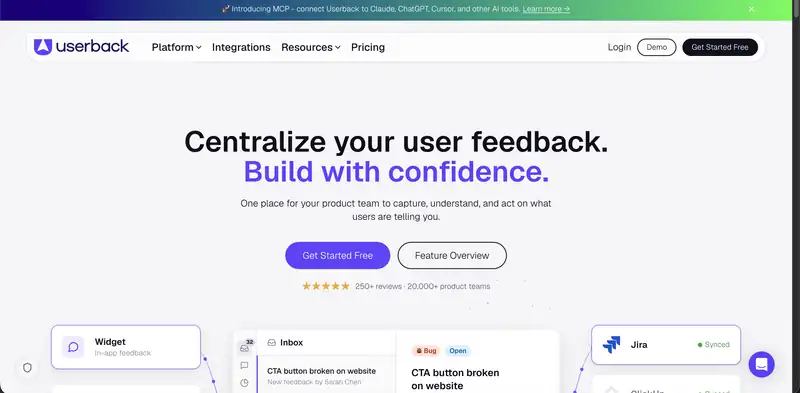
Userback collects visual feedback and bug reports through a widget on your site or web app.
- Best for: product teams gathering feedback from people using their web app.
- Standout features: feedback widgets, screenshots and video, with session replay on higher plans.
- AI: AI Assist, on the Business plan, sorts feedback into bugs, ideas and questions, spots similar feedback, and transcribes and summarizes video feedback. A new MCP connection also lets AI tools like Claude, ChatGPT and Cursor work with your Userback feedback.
- Pricing: a free plan with two feedback projects, though feedback is only kept for seven days. Paid plans remove that limit.
- One downside: it leans toward software products more than agency client reviews.
8. Feedbucket
Feedbucket is built for web agencies. It adds a feedback button to a client’s website, so clients can send annotated screenshots and video straight from the page.

- Best for: agencies that want client feedback synced into their existing project tools.
- Standout features: video feedback and two-way sync with project management tools.
- Pricing: paid plans with a 14-day free trial, no card needed.
- One downside: there’s no free plan, and it has to be installed on each client site with a script or WordPress plugin.
9. Huddlekit
Huddlekit is a browser-based tool for reviewing websites. Clients and teammates pin comments on live or staging sites, and each comment becomes a task with a screenshot and browser details.
- Best for: designers and small teams doing design and QA reviews.
- Standout features: an inspect mode for quick CSS checks, side-by-side views of desktop, tablet and mobile sizes, and guest links so clients don’t need an account.
- AI: on paid plans, an MCP connection hands client feedback to your own AI agent, like Claude or Cursor.
- Pricing: a free plan for up to three team members and one project, with unlimited guests and paid plans above that.
- One downside: the free plan is limited, so agencies with several client projects will need a paid plan.
10. SimpleCommenter (free website feedback tool)
SimpleCommenter offers a free website feedback tool: paste in any URL, pin comments on the page and share the link.
- Best for: one-off reviews when you need something free right now.
- Standout features: no signup and nothing to install.
- AI: an MCP connection lets your own AI coding agent turn client comments into fixes.
- Pricing: the basic tool is free.
- One downside: it’s a simple review tool, not a place to manage ongoing client work.
How to pick the right website feedback tool
Start with who’s leaving the feedback and what you need to happen next.
- If you need something free for one review, try SimpleCommenter, or the free plans from Pastel or Userback.
- If your developers live in Jira or GitHub and already use an AI coding agent, Marker.io or BugHerd will feel familiar, and their MCP connections let that agent help with fixes.
- If you want AI to spot issues but you’ll make the changes yourself, try BugSmash’s AI Reviews.
- If you look after many client sites and feedback is piling up, pick a tool where the AI does the work. Atarim’s AI experts review pages and make changes for your approval, with nothing extra to set up, so feedback turns into finished work.
For tips on writing feedback people can act on, read our guide to giving and receiving website design feedback. If you’re reviewing designs and mockups, see our roundup of website annotation tools, and before any launch run through our website QA checklist.
Want feedback from site visitors instead?
The website feedback tools above are for feedback from clients and your team. If you want to understand what everyday visitors do on a site, you need a different kind of tool:
- Hotjar: heatmaps, session recordings and on-site surveys.
- Google Analytics: how many people visit, where they come from and which pages they view.
- Mixpanel and Amplitude: detailed tracking of the steps people take and where they drop off.
- FullStory: session replay that shows exactly what a visitor experienced.
Website feedback tool FAQs
What is the best website feedback tool?
It depends on your team. For agencies managing many client sites, Atarim is the strongest pick because its AI experts review pages and do the work, not just collect comments. For developer-focused bug reports, Marker.io and BugHerd are popular. For simple free reviews, Pastel and SimpleCommenter are easy places to start.
Which website feedback tools use AI?
Most now use some AI, but in different ways. BugHerd, Marker.io and Userback use AI to tidy feedback, like writing titles and spotting duplicates. BugSmash’s AI reviews pages and leaves comments. Several tools, including BugHerd, Marker.io, BugSmash, Userback, Huddlekit and SimpleCommenter, also connect through MCP to AI coding agents you run yourself. Atarim’s built-in AI experts review pages and make the changes for your approval.
Can ChatGPT review a website?
General AI chatbots like ChatGPT can review copy you paste in, and some can read a page from a link. They can’t pin comments on the live page, track tasks or make changes inside a client’s site, though. Atarim’s AI experts review the live page itself, covering design, copy, SEO, accessibility and QA, then turn what they find into tasks and changes you approve.
What is a good free feedback app?
Pastel, Userback, BugSmash and Huddlekit all offer free plans, and SimpleCommenter has a free tool that needs no signup. You can also start free with Atarim, no card needed.
How do I give feedback to a website?
Open the page with a website feedback tool, click the exact spot you want changed, and write a short, specific note about what should change and why. A good tool adds a screenshot and browser details for you, so whoever makes the fix can see exactly what you saw.
Turn website feedback into finished work
Collecting feedback is the easy part. Atarim gives your agency an AI team that reviews client sites, turns comments into clear tasks and makes the changes, with you approving every one. Start free with Atarim, no card needed, or book a demo to see it on your own client sites.