




Project specifications, often called project specs, are a written description of exactly what a project will deliver, how it should work and how everyone will know it’s finished. For a website, that means the pages, features, technology, content, timeline and budget, all agreed with the client before anyone starts designing.
Good project specifications save you from the most expensive problem in agency work: building the wrong thing. When the spec is vague, every review round turns into a debate about what was promised, and scope creep slips in one “quick change” at a time. This guide shows you how to write project specifications that prevent that, with a real website example and a free template you can copy.
What are project specifications?
Project specifications are a document that turns a client’s goals into clear, testable requirements. Where a brief says what the client wants, the spec says what you’ll actually build, in enough detail that a designer, developer and client would all describe the finished product the same way.
People use a few related terms, and it helps to know how they fit together:
- Project brief: the client’s goals, audience and wishes, usually written before the project is scoped.
- Project specifications: the detailed description of what will be delivered and how it should work. This is the document this guide covers.
- Scope of work (SOW): the contract-side summary of the work, deliverables and terms. It often references the spec.
- Project plan: how and when the work gets done, including tasks, owners and schedule. See our guide to building a website project plan.
Project specs in construction, software and web design
The word “specs” means slightly different things depending on the industry. In construction, project specifications describe the materials, quality standards and installation methods for each part of a building. In software, they focus on features, user flows and technical requirements. Web projects sit closer to software: the spec covers pages, functionality, integrations, content and design rules. The rest of this guide focuses on web and digital projects.
Why project specifications matter
A clear spec does more than keep a project organized. It protects your margins and your client relationships:
- It prevents scope creep: when a request falls outside the spec, you can point to the document and quote it as a change instead of absorbing it for free.
- It makes estimates accurate: you can only price work you’ve defined, so a detailed spec leads to quotes you can stand behind.
- It speeds up reviews: feedback becomes a simple check against agreed requirements, rather than a fresh round of opinions.
- It gives you a clear finish line: acceptance criteria tell everyone when the work is done, which makes final sign-off and invoicing much smoother.
What to include in project specifications
Every project is different, but strong project specifications for a website usually cover these 10 sections:
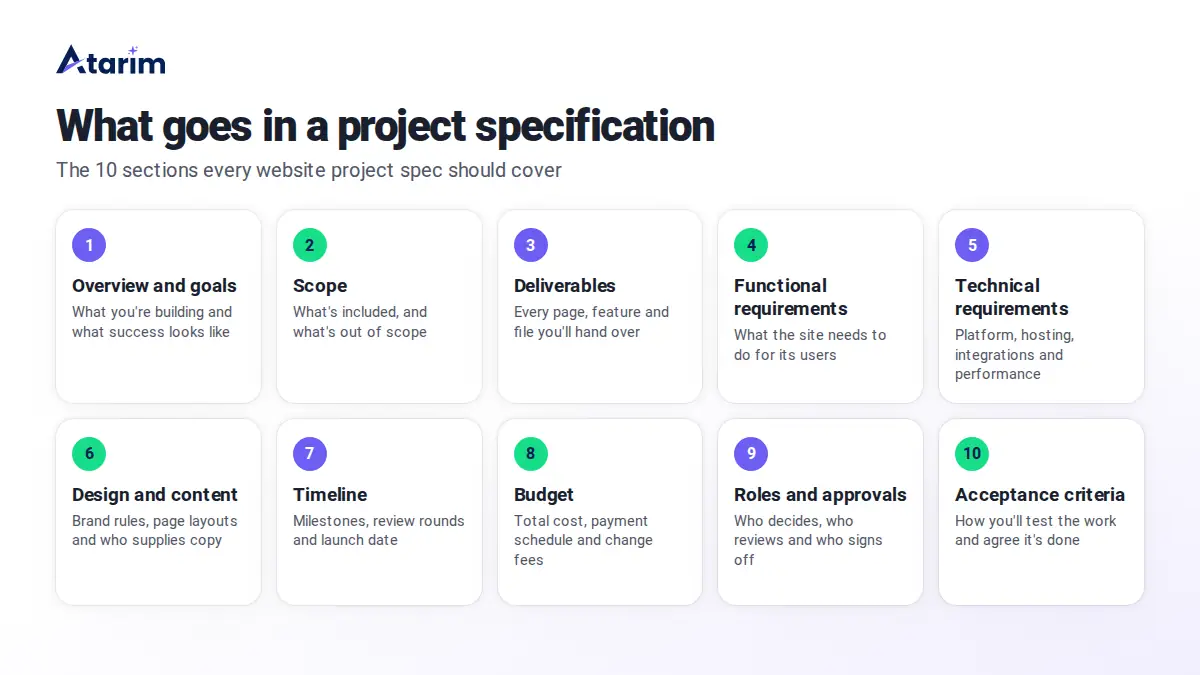
- Overview and goals: what you’re building, why, and how success will be measured, such as “increase demo bookings by 20%.”
- Scope: what’s included and, just as importantly, what isn’t. An “out of scope” list stops most arguments before they start.
- Deliverables: every page, template, feature and file you’ll hand over.
- Functional requirements: what the site needs to do, written from the user’s point of view. For example, “visitors can book a call from any service page.”
- Technical requirements: the platform, hosting, integrations, browser support, performance targets and accessibility standard.
- Design and content: brand guidelines, the number of design concepts and revisions, and who writes and supplies the copy and images.
- Timeline and milestones: key dates, review rounds and how long the client has to give feedback at each stage.
- Budget: the total cost, payment schedule and how changes outside the spec will be priced.
- Roles and approvals: who makes decisions, who reviews work and who gives final sign-off on each side.
- Acceptance criteria: the tests the work has to pass to count as done, such as page speed scores, browser checks and a completed QA checklist.
How to write project specifications in 8 steps
You don’t need to write the perfect spec in one sitting. Follow these steps and refine it with your client as you go.
1. Start from the brief and a discovery call
Read the client’s brief, then book a discovery call to fill the gaps. Ask about business goals, target audience, competitors they admire, must-have features and any hard deadlines. Write everything down, because these notes become the raw material for the spec.
2. Write down the goals and how you’ll measure them
Turn vague hopes into measurable goals. “A modern website” becomes “a site that loads in under three seconds on mobile and makes booking a call possible in two clicks.” Measurable goals guide every later decision, and they give you a way to show the project succeeded.
3. Define what’s in scope and what’s out
List everything you’ll deliver, then list what you won’t. Common items for the “out of scope” list include copywriting, stock photo licensing, ongoing SEO, extra languages and third-party integrations the client hasn’t mentioned yet. If something is likely to come up later, name it now.
4. List the functional and technical requirements
Describe what each page and feature needs to do, then capture the technical rules behind it: the CMS, hosting, plugins, integrations such as a CRM or booking tool, browser and device support, and the accessibility standard you’re working to. Be specific enough that a developer could estimate the work from this section alone.
5. Agree on design and content responsibilities
Note how many design concepts and revision rounds are included, which brand guidelines apply, and who supplies the copy, photos and video. Missing content is one of the most common reasons web projects stall, so put a due date on every piece the client owns.
6. Set the timeline, budget and roles
Map out milestones and review rounds, and give the client a fixed window to respond at each stage, such as three business days. Add the budget, payment schedule and your change request process. Then name the decision-maker on each side, so feedback doesn’t arrive from five different people with five different opinions.
7. Write acceptance criteria
Decide how you’ll test the finished work before you build it. Good acceptance criteria are specific and checkable, such as “all pages score 90 or above on Google PageSpeed mobile” or “the contact form sends to the client’s CRM.” Our website QA checklist is a good starting point for this section.
8. Review the draft with the client and get sign-off
Walk the client through the draft, collect their questions and update it. Once everyone agrees, get written sign-off and treat it as the baseline. The spec can still change during the project, but every change should go through your change request process and be recorded in the document.
Project specifications example: a small business website
Here’s what project specifications look like for a typical agency project. In this example, a dental clinic wants to replace its outdated site with one that brings in more appointment bookings.
| Section | Example |
|---|---|
| Overview and goals | Redesign Brightside Dental’s website to increase online appointment requests by 25% within six months of launch. |
| Scope | In scope: design and build of 8 pages, booking integration, basic on-page SEO. Out of scope: copywriting, photography, paid ads, ongoing maintenance. |
| Deliverables | Home, About, Services overview, 3 service pages, Contact and Book an Appointment pages. One page template for future service pages. |
| Functional requirements | Patients can request an appointment from any page. Click-to-call on mobile. Opening hours and map on the Contact page. |
| Technical requirements | WordPress with the block editor, hosted on the client’s existing plan. Booking widget connected to the clinic’s scheduling software. WCAG 2.2 AA accessibility. Latest two versions of major browsers. |
| Design and content | Two homepage concepts and two revision rounds. Client supplies all copy and photos by the end of week 2. |
| Timeline | 8 weeks: discovery (week 1), design (weeks 2 to 3), build (weeks 4 to 6), review and QA (week 7), launch (week 8). Client feedback due within 3 business days at each review. |
| Budget | Fixed price, paid 40% at kickoff, 40% at design approval and 20% at launch. Changes outside the spec quoted separately. |
| Roles and approvals | Clinic owner approves designs and launch. Practice manager supplies content and gives day-to-day feedback. Agency project manager owns the timeline. |
| Acceptance criteria | Every page scores 90+ on PageSpeed mobile, the booking form reaches the scheduling software, and the site passes the agency’s QA checklist on desktop and mobile. |
Free project specifications template
Copy this template into your own document and fill in each section. Delete anything that doesn’t apply to your project.
PROJECT SPECIFICATIONS
Project name:
Client:
Prepared by:
Date and version:

1. OVERVIEW AND GOALS
What are we building, and why?
How will we measure success?

2. SCOPE
In scope:
Out of scope:

3. DELIVERABLES
List every page, template, feature and file.

4. FUNCTIONAL REQUIREMENTS
What does the site or product need to do for its users?

5. TECHNICAL REQUIREMENTS
Platform and hosting:
Integrations:
Browser and device support:
Performance and accessibility targets:

6. DESIGN AND CONTENT
Brand guidelines:
Design concepts and revision rounds included:
Content supplied by (and due date):

7. TIMELINE AND MILESTONES
Milestones and dates:
Review rounds and feedback windows:

8. BUDGET
Total cost:
Payment schedule:
Change request process and rates:

9. ROLES AND APPROVALS
Client decision-maker:
Client reviewers:
Agency project lead:

10. ACCEPTANCE CRITERIA
How will we test the work and agree it is done?

SIGN-OFF
Client name, signature and date:
Agency name, signature and date:
Common mistakes when writing project specifications
- Leaving out what’s out of scope: if the spec only lists what’s included, clients will assume everything else is too.
- Using vague words: “modern,” “fast” and “user-friendly” mean different things to different people. Replace them with numbers and examples.
- Skipping acceptance criteria: without them, “done” becomes whatever the most demanding stakeholder decides it is.
- Forgetting content deadlines: missing copy and images delay more web projects than technical problems do.
- Treating the spec as final: requirements change. Keep a version history and log every approved change, so the document always matches the project.
How to keep the build matching your project specifications
Writing the spec is the first half of the job. The second half is checking the build against it during reviews, which is where most projects drift. Feedback arrives by email, chat and phone, and it’s hard to tell which requests match the spec and which are new scope.
Atarim keeps that review process in one place. Clients and teammates pin comments right on the live site, and each comment becomes a task with a screenshot and browser details. Atarim’s AI experts review pages for design, copy, UX, SEO, accessibility and QA issues, turn vague comments into clear tasks, and make changes for your approval, so you can check each request against the spec before any work happens. You can start free with Atarim, no card needed, or book a demo to see it on your own client sites.
Project specifications FAQs
What is the meaning of “project spec”?
A project spec, short for project specification, is a document that describes exactly what a project will deliver and the standards it has to meet. It turns a client’s goals into specific requirements that the team can build and test against.
Can you give an example of a project specification?
Yes. A website project specification might state that the site will have eight pages, run on WordPress, connect to the client’s booking software, meet the WCAG 2.2 AA accessibility standard and launch within eight weeks. See the full project specifications example above for every section filled in.
What are the 7 elements of a project plan?
There’s no single official list, but most project plans cover these seven elements: goals, scope, deliverables, schedule, budget, roles and responsibilities, and risks. Project specifications feed into the plan by defining the scope and deliverables in detail. Our guide to creating a website project plan covers the plan itself.
What do specs mean in construction?
In construction, specs are the written part of the contract documents. They describe the materials, products, quality standards and installation methods for each part of a building, and they work alongside the drawings.
What’s the difference between project specifications and a scope of work?
Project specifications describe what will be built and how it should work, in detail. A scope of work is usually part of the contract and summarizes the work, deliverables, timeline and terms. Many agencies attach the spec to the scope of work, so the contract points to a detailed description of the deliverables.
Want to go deeper on project management? The book Initiating a Project covers how to set up projects for success from the start.