How to Handle Project Backlogs and Bottlenecks
Spot where work is stalling, and set things up so it stops happening in the same place.
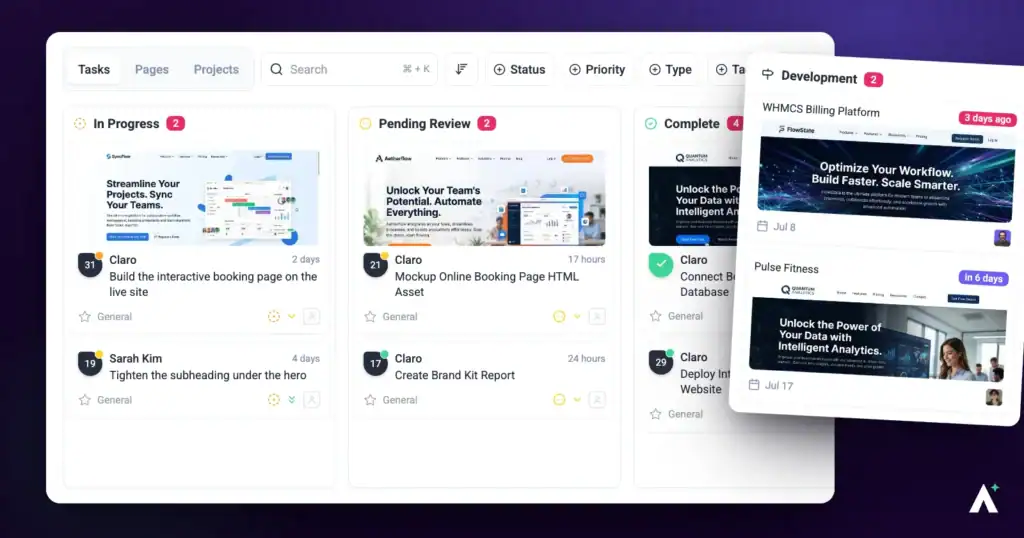
A backlog is work waiting; a bottleneck is work stuck. The first is normal, the second isn’t — and the difference matters, because they need different responses. This guide covers spotting each and setting things up so the same stall doesn’t recur.
A bottleneck is visible before anyone reports it.
Recognizing the Difference
| What you see | What it means | What to do |
|---|---|---|
| Lots of tasks in Open | A backlog — work is queued but nothing is blocked. | Prioritize and assign. It’s a capacity question. |
| Tasks piling up in one middle column | A bottleneck at that step. | Look at who owns that step and what’s holding them up. |
| Tasks sitting in Pending Review | Waiting on someone else — often the client. | Chase directly. A status change may email people, depending on notification settings, but Atarim doesn’t send reviewers reminders. |
| The same task in a column for weeks | Usually too large rather than stalled. | Break it into smaller tasks so progress becomes visible. |
1. Set Clear Project Stages
Stages only help if they mirror how the work actually moves, rather than how you wish it did.
Instructions:
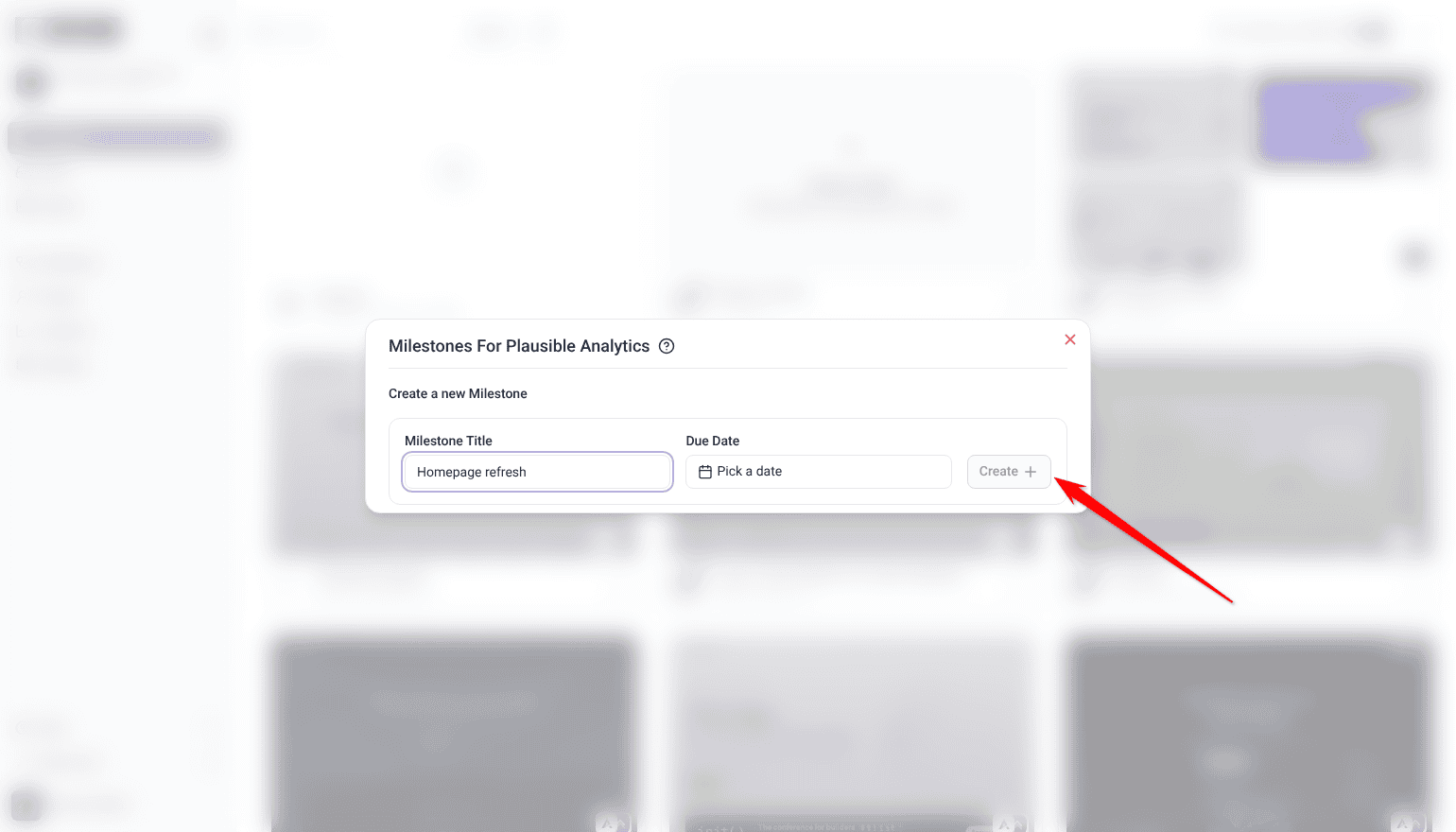
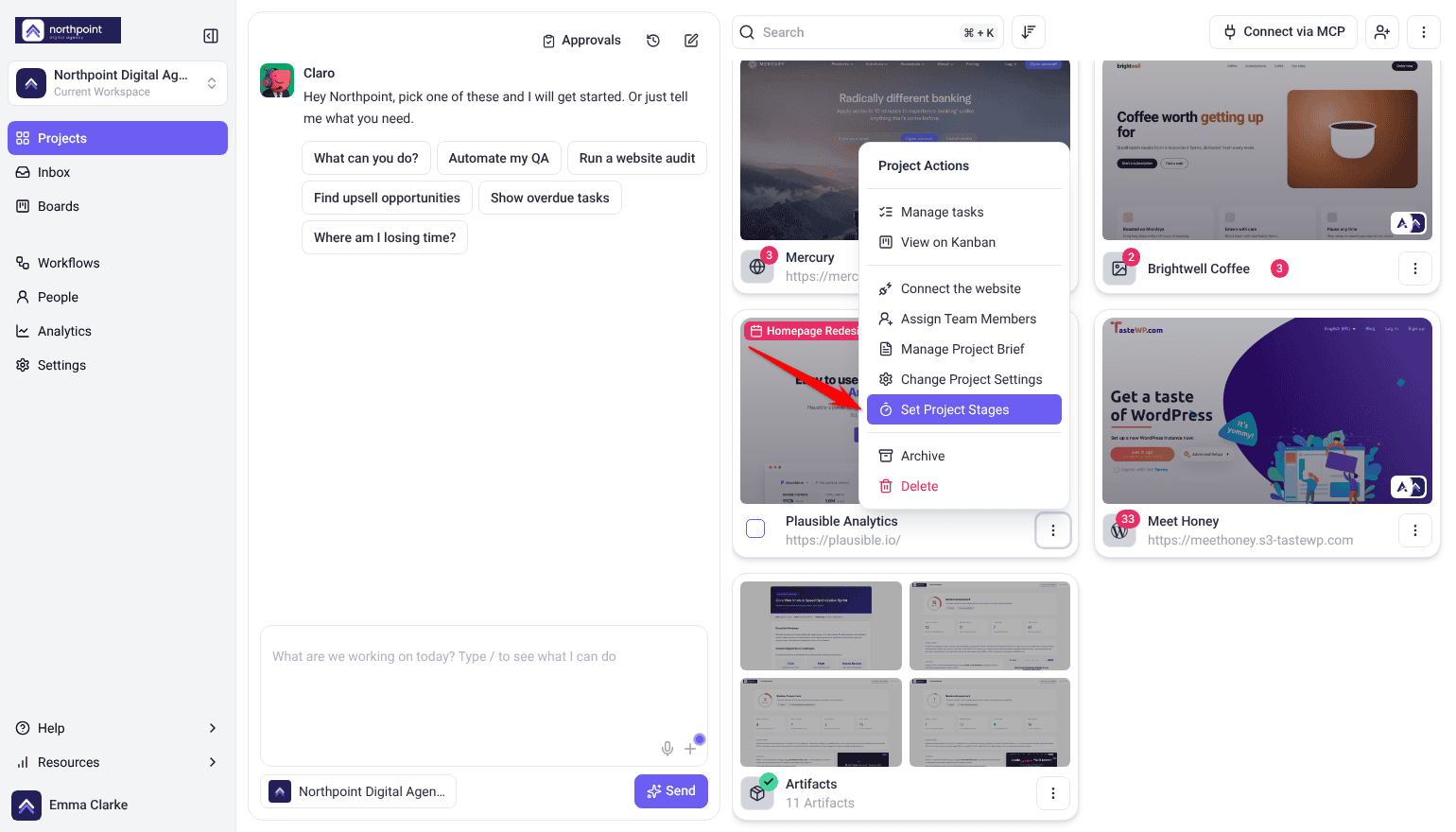
- On the Projects screen, open the project’s ⋮ menu and select Set Project Stages.
- Under Create a new Milestone, enter a Milestone Title for each stage your work actually runs through, such as Design Review, Responsiveness Review, CTA Review and Final Testing.
- Set a Due Date, then select Create.
- Tasks can’t be added to a stage, so tag each task with the stage it belongs to. The team then knows what’s required before moving on.
- When a stage is finished, select the clock icon beside it (Mark milestone as complete).
Project stages are a paid feature, and Team Members don’t see Set Project Stages by default.

2. Use Tags for Order and Dependencies
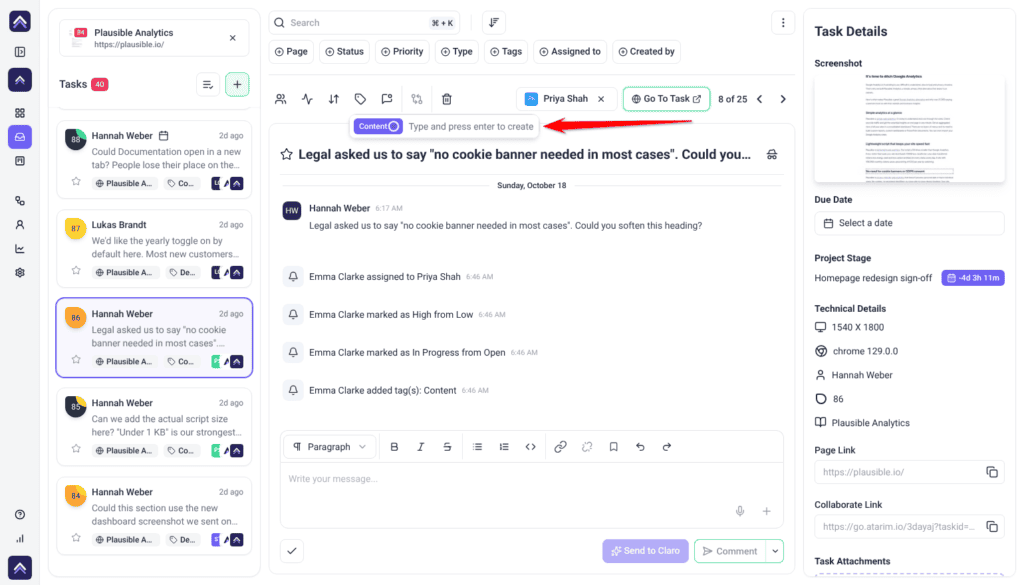
- Apply tags that signal sequence or dependency — “Step 1: Initial Design”, “Step 2: Final Version”.
- Tell the team what the tags mean, so nobody starts work that depends on something unfinished.
3. Watch the Board
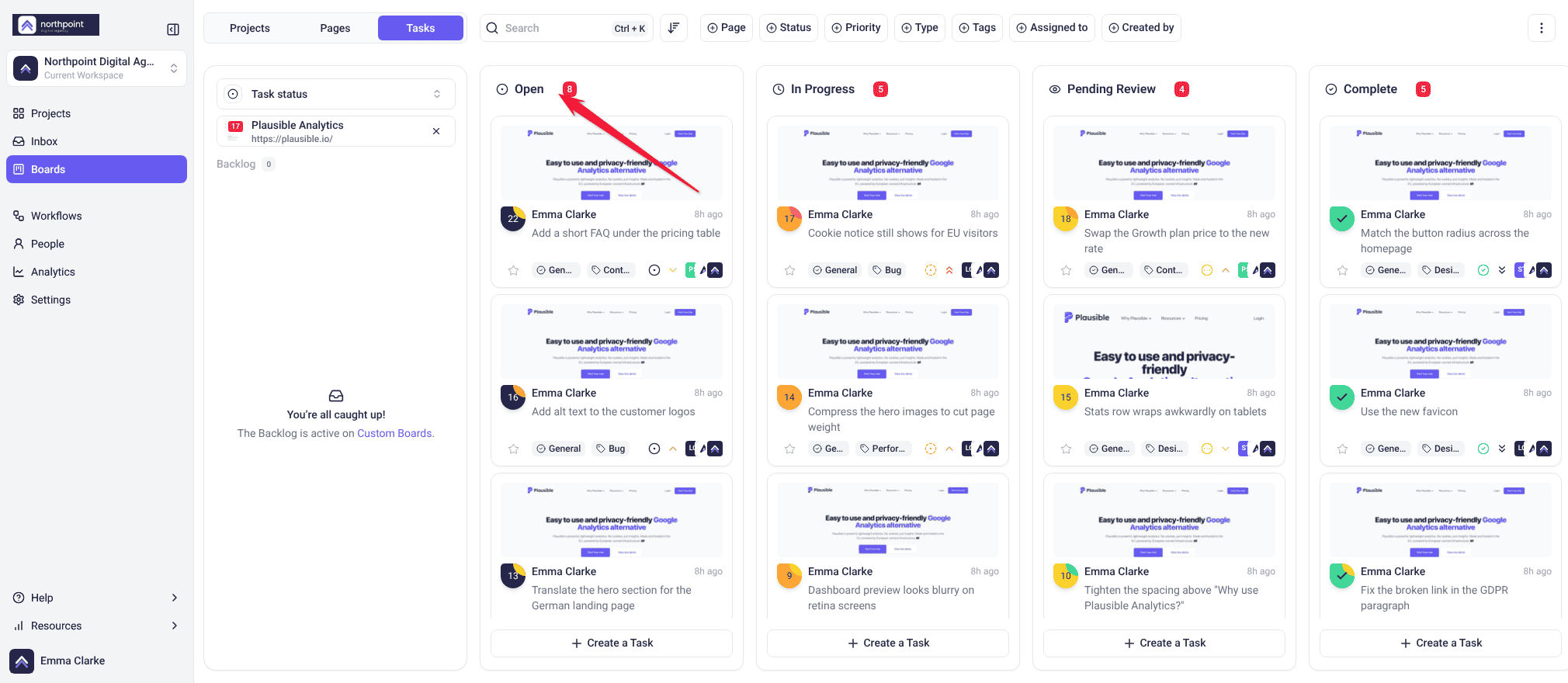
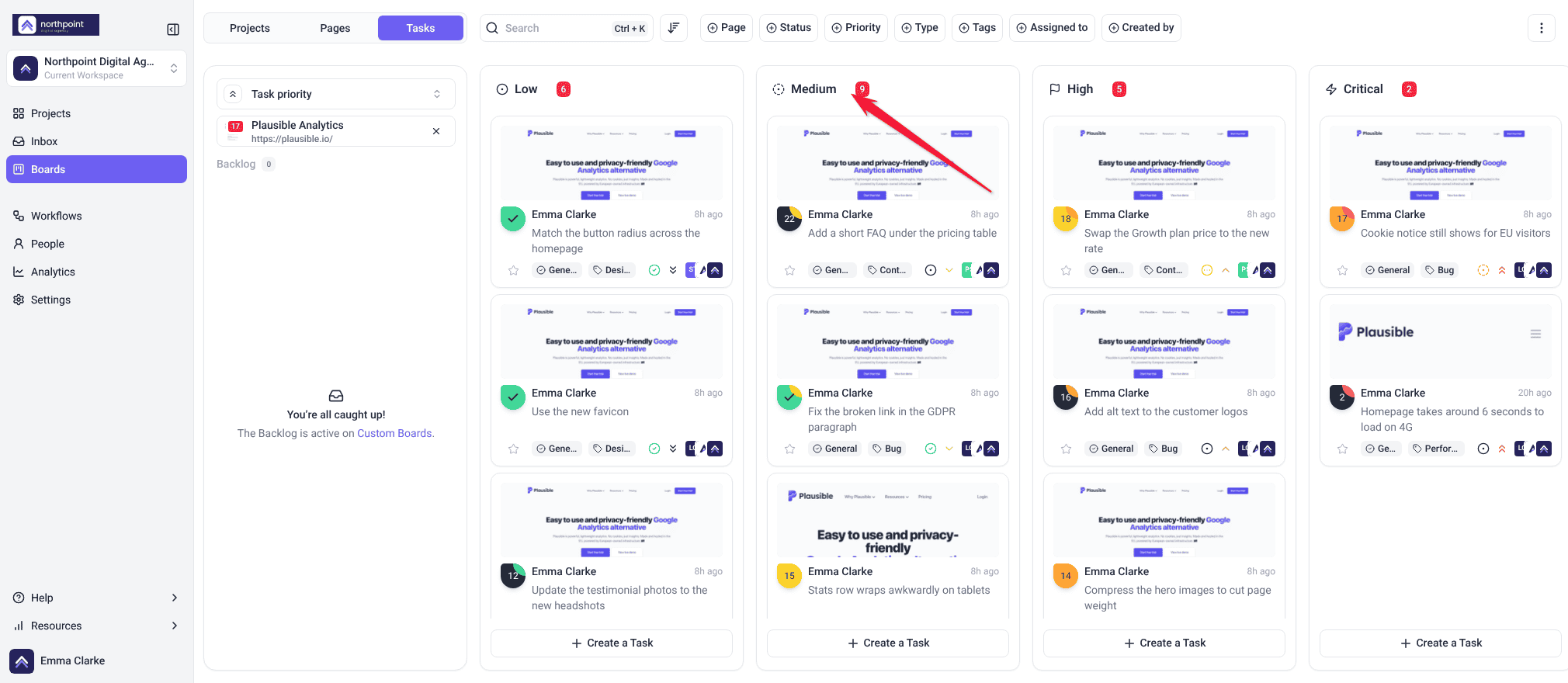
A column that keeps filling up is where your bottleneck is, and the board is the fastest way to spot it.
Instructions:
- Select Boards in the sidebar, open the Tasks tab and pick the project.
- Switch between the Task status and Task priority boards in the board picker.
- Filter by status, priority or tag to see where tasks are sitting. A column holding noticeably more than the others is your bottleneck.
4. Check In Regularly
Match the rhythm to the project — a fast-moving build needs daily contact, a slow one does not.
Instructions:
- Schedule a daily or weekly check-in, depending on how fast the project moves.
- Use the visual collaboration tools to review progress together rather than describing it.
5. Use Analytics to Spot Patterns
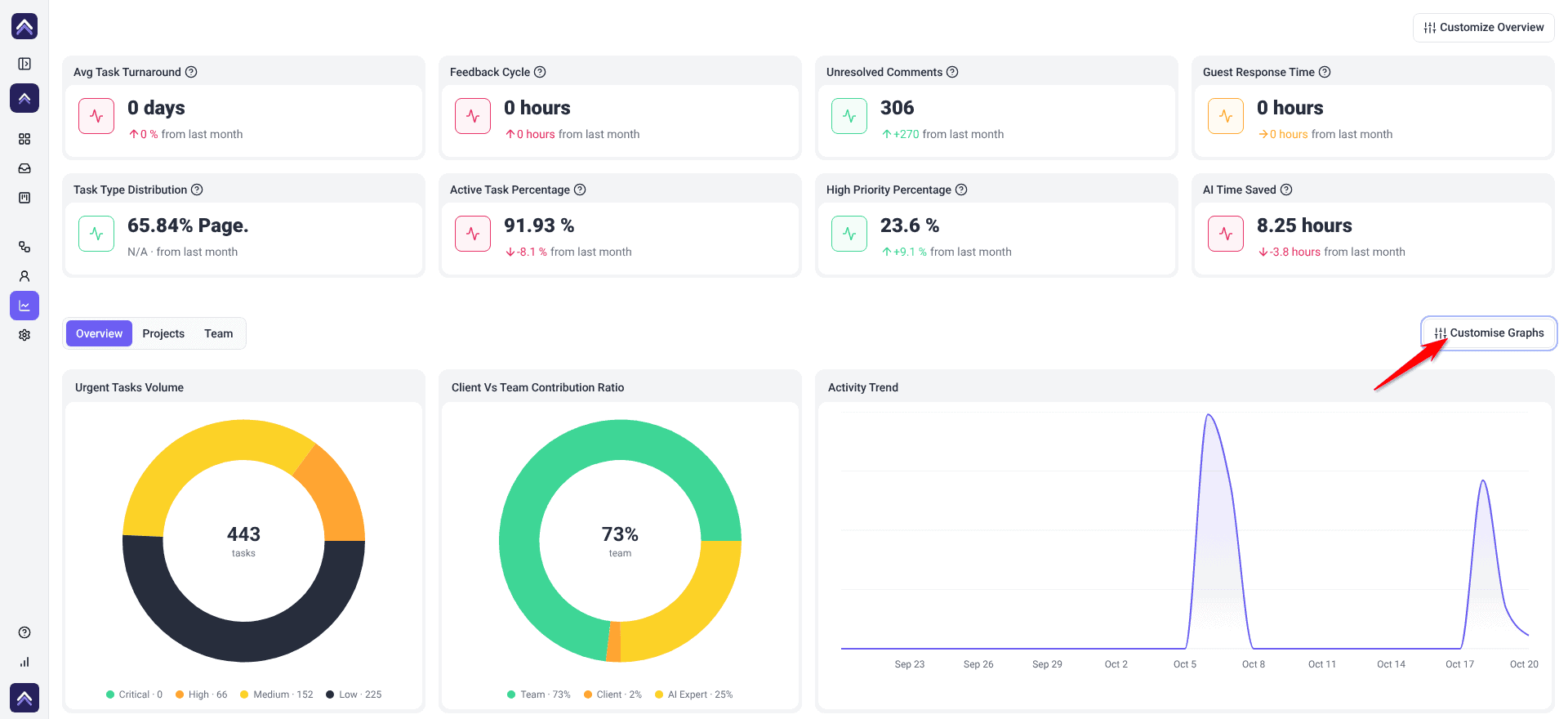
- Select Analytics in the sidebar to review completion rates and outstanding urgent work. Team Members don’t see it by default.
- Look for the same stage or person appearing repeatedly.
- Adjust resourcing or workflow based on what the figures show.
6. Automate What Prevents Delay
Automate the handoffs people forget, rather than the work itself.
Instructions:
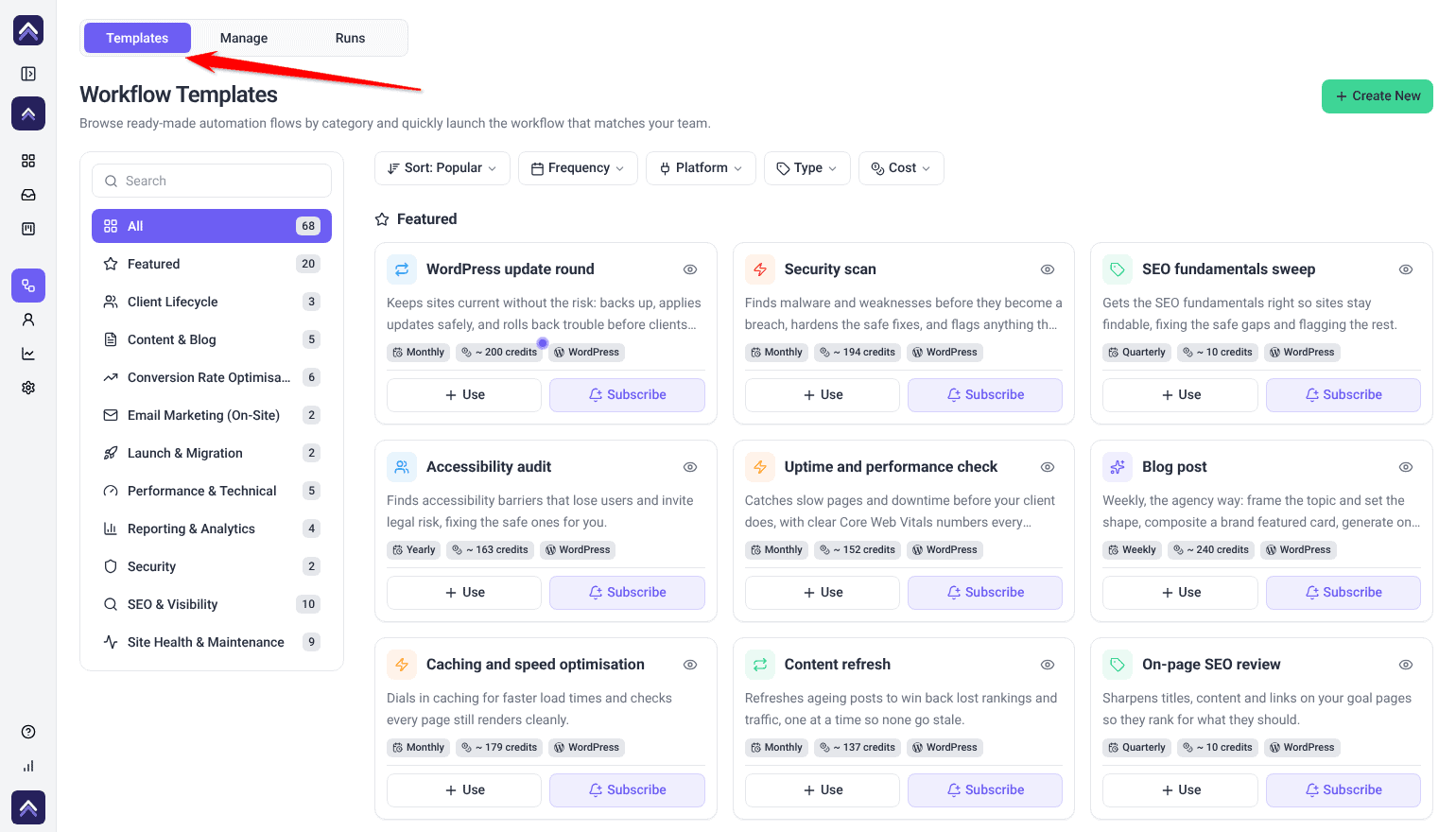
- Select Workflows in the sidebar, open the Manage tab and select Create New.
- Set the trigger — a new comment, a status change, or a tag being applied.
- Choose the action, such as notifying someone or pushing the task to a connected tool.
- Test it with a real task.
Useful examples: reopening a completed task when a new comment arrives, notifying a developer when something is marked Critical, or pushing tasks to ClickUp or Trello on a status change.
Each workflow run uses 10 credits, plus whatever any AI steps in it use. Workflows are a paid feature, and Team Members don’t see Workflows by default.
When the Backlog Is Billable Work
Not everything in a backlog should be scheduled — some of it is work a client would pay for. A queue that keeps growing is sometimes a resourcing problem, and sometimes a sign you’re absorbing requests that were never in scope.
The Upsell Opportunity workflow template surfaces one genuine, priced upsell per client each week, drawn from what they’ve actually asked for. It runs on WordPress projects, and its template card shows the estimated credits per run.
FAQs
How should I prioritize backlog tasks?
Use tags alongside priority, weighing urgency, dependencies and overall project goals.
How often should I review the board?
Weekly is usually enough. Daily helps on fast-moving projects.
Can I control which tasks sync to Jira or ClickUp?
Yes. Add conditions to the workflow so only matching tasks get pushed. Conditions cover task status, task priority, assigned user, task tag, page status and email fields.
How do I find where tasks are getting stuck?
Filter the board by status or priority. The column holding more than the others is the bottleneck.
What’s the difference between a backlog and a bottleneck?
A backlog is queued work — a capacity question. A bottleneck is work stuck at one step, which needs the blockage cleared.
What if the backlog is mostly client requests?
Some of it may be billable rather than schedulable. The Upsell Opportunity workflow template surfaces one priced upsell per client each week from what they’ve asked for.
Will the team be notified when a stage changes?
Yes. Creating or completing a stage emails everyone assigned to the project, and assignees are emailed again as the due date approaches and after it passes. Anyone reviewing through a share link without an account is not emailed, so tell them directly.
Common issues
- One column keeps filling up — that step is under-resourced or blocked. Look at ownership rather than the tasks.
- Work sits in Pending Review — you’re waiting on someone. Chase directly; Atarim doesn’t send reviewers reminders.
- A task hasn’t moved in weeks — it’s probably too large. Break it down so progress shows.
- The board doesn’t match reality — statuses aren’t being updated. A weekly review fixes this.
- Completed work keeps reopening informally — set a workflow to reopen tasks automatically when a new comment arrives.
- An integration isn’t in the workflow list — connect it and switch it on in Settings, then reopen the builder.
- The backlog grows faster than you clear it — some of it may be out of scope. Check whether requests are billable before scheduling them.
- The same stage stalls every project — that’s a process problem, not a project one. Check analytics for the pattern.
Conclusion
Stages give work a shape, tags make dependencies explicit, and the board makes stalls visible. Between them you can usually see a bottleneck before anyone reports it.
The two habits that matter most are keeping the board honest and making it easy to raise a blocker early. Most bottlenecks are known to someone well before they’re visible. Discover Optimizing Task Management For Large Teams
Tips & best practices
- Use stages as checkpoints and confirm each is genuinely complete.
- Make sure the team understands what your tags mean.
- Keep tag wording client-appropriate — clients can see them.
- Make it comfortable for people to flag delays early.
- Set a workflow to reopen completed tasks when new comments arrive.
- Review analytics for patterns rather than one-off pile-ups.
- Check whether backlog items are billable before scheduling them as your own work.